
Turn curiosity into design.
Learn, create, and validate your skills with badges & certifications. Five chapters — go at your own pace.
1. Getting Started
Chapter 1
Getting Started
In this chapter
Welcome to Designed by Fetch. We'll cover what the platform is, how credits work, and how to generate your very first image from scratch.
Lessons
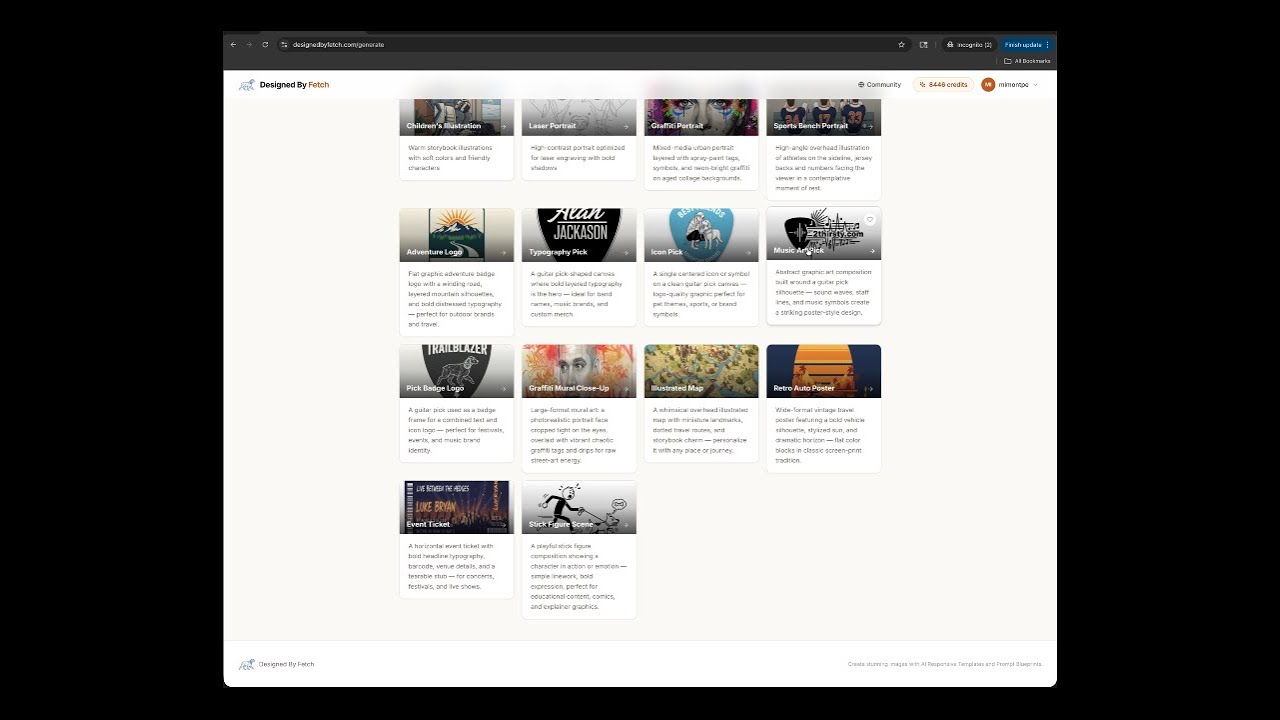
What is Designed by Fetch?
An overview of the platform — Prompt Blueprints, Responsive Templates, and the tools available to you.
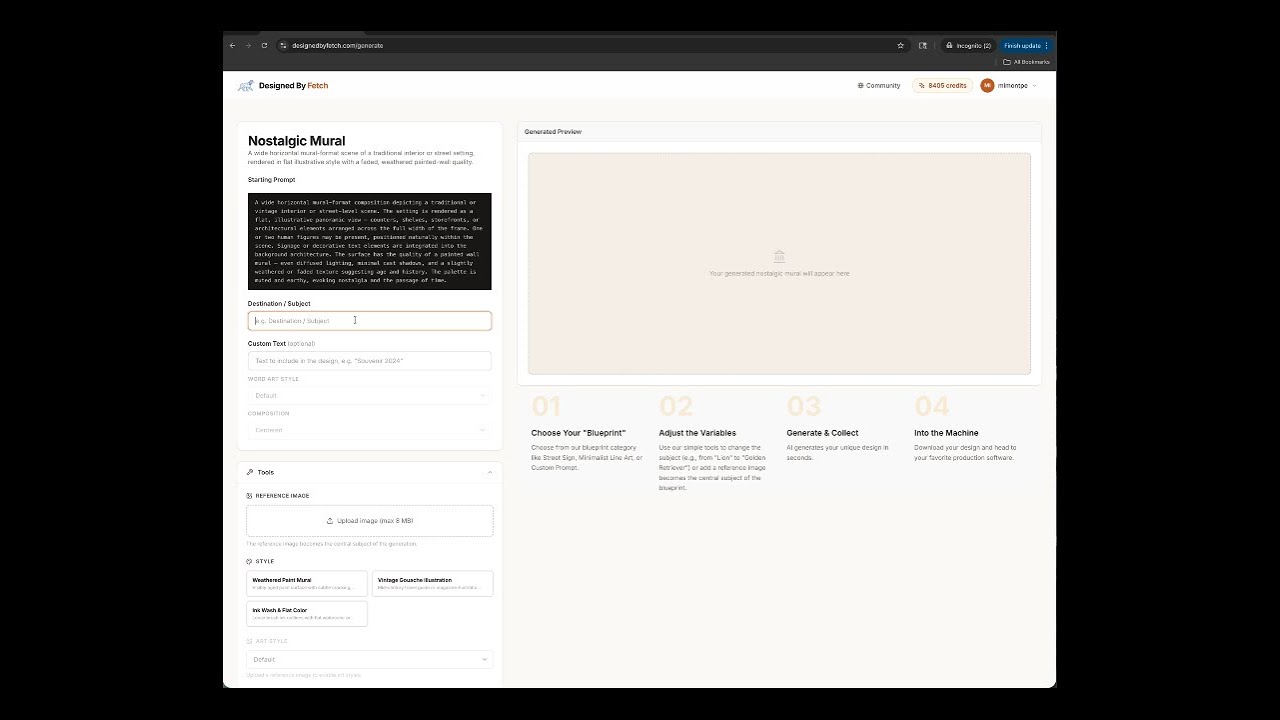
Your First Generation
Pick a category, enter a subject, and generate your first image in under 2 minutes.
Understanding Credits
How credits are used, how they refresh on your plan, and how to track your balance.
2. Prompt Blueprints
Chapter 2
Prompt Blueprints
In this chapter
Explore the full library of Blueprint categories, learn how art styles stack on top, and discover how Quick-Start suggestions accelerate your workflow.
Lessons
Browsing Categories
How to navigate the category showcase and find the right Blueprint for your project.
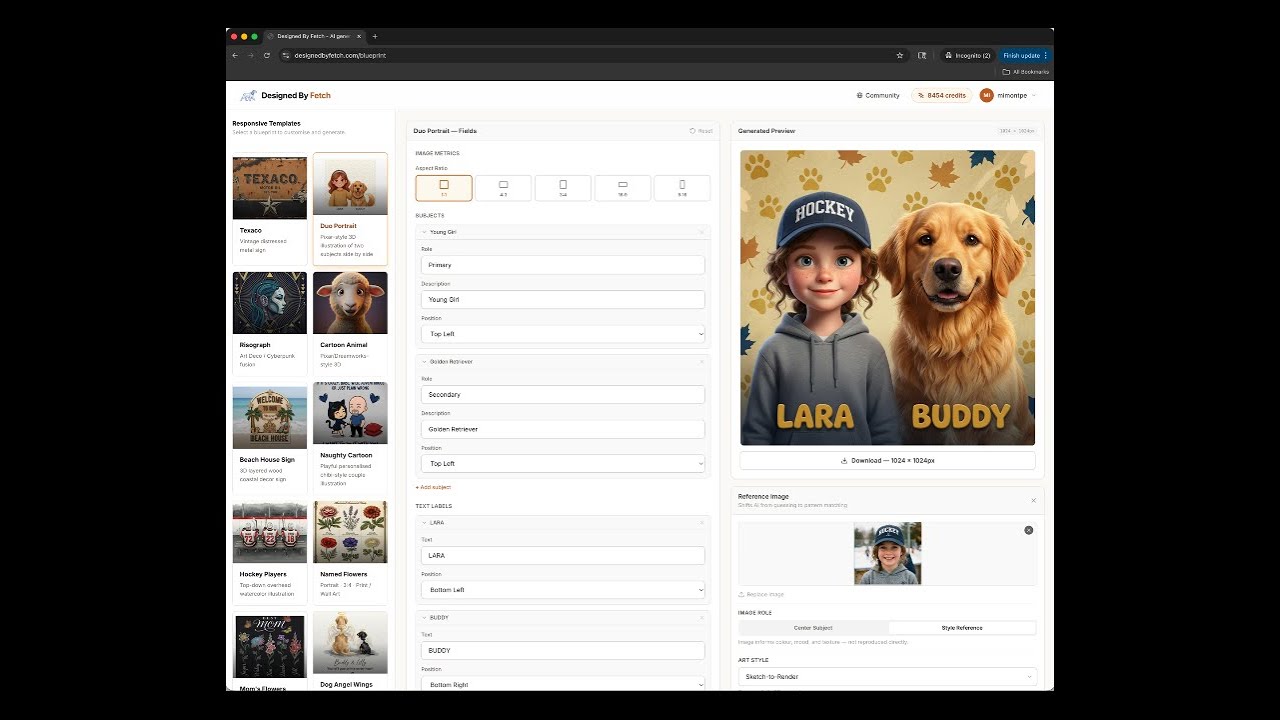
Mastering Reference Images in Responsive Templates
Reference Images in our Responsive Templates, you’re in total control.
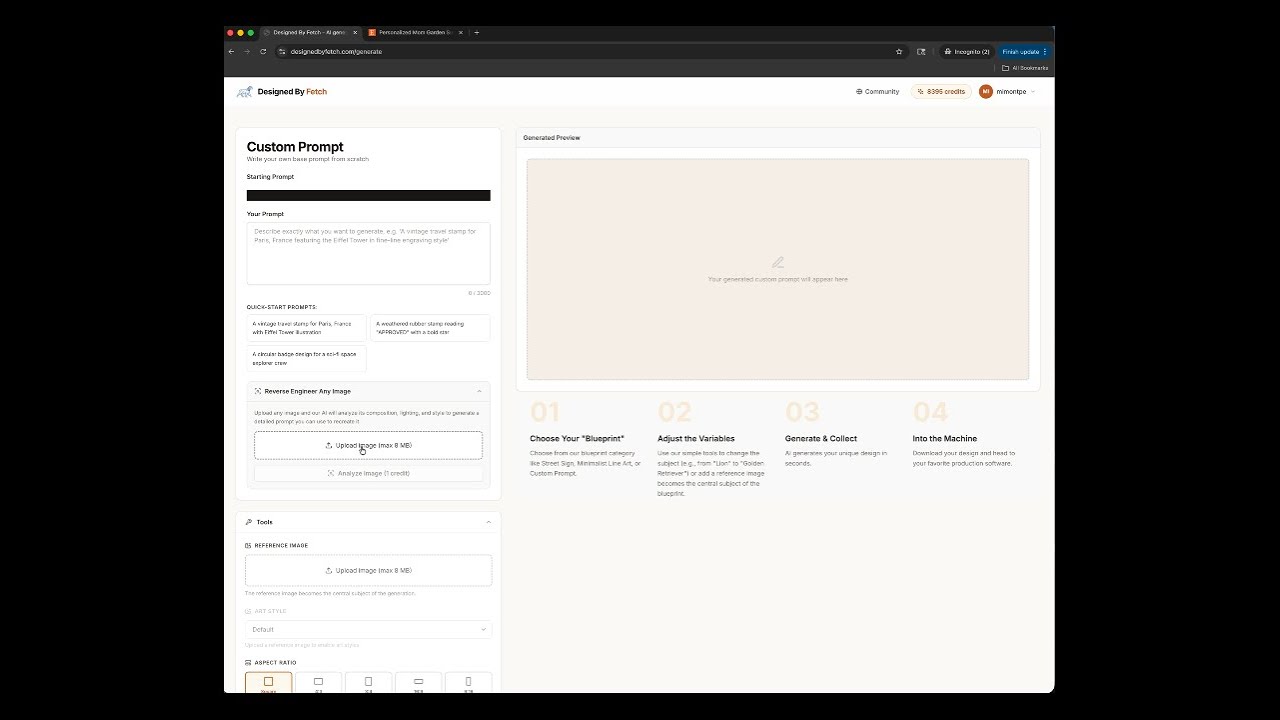
Custom Prompt & Reverse Engineer
Write your own prompt from scratch, or upload an image to reverse-engineer a reusable prompt.
3. Responsive Templates
Chapter 3
Responsive Templates
In this chapter
Master the Blueprint Designer — form-driven generation that gives you precise, repeatable results for Texaco signs, Duo portraits, Risograph prints, and more.
Lessons
Navigating the Blueprint Designer
How the designer works: selecting a template, filling in fields, and generating.
The Texaco Template
Build vintage metal signs with visual elements, material effects, and preset graphic styles.
Duo, Risograph & More
An overview of the other template types and when to reach for each one.
4. Image Tools
Chapter 4
Image Tools
In this chapter
Post-process your generated images entirely in the browser — remove backgrounds with AI, add sticker borders, and download finished artwork ready to use.
Lessons
AI Background Removal
Remove backgrounds in one click using a local AI model — no credits needed.
Sticker Border
Add a white contour border around your subject for sticker-ready artwork.
Downloading & Using Your Images
Export options, file formats, and tips for using your images in other creative tools.
5. Credits & Plans
Chapter 5
Credits & Plans
In this chapter
Understand how credits work, compare the plan tiers, and get the most value from your subscription.
Lessons
How Credits Work
What costs one credit, how they refresh each month, and how to check your balance.
Comparing Plans
Free vs Starter vs Maker Pro vs Studio Elite — which plan is right for your workflow?
Badges & Certifications
Complete each chapter to earn your badge. All badges unlock your Fetch Academy certification.
First Steps
Chapter 1
Blueprint Master
Chapter 2
Template Pro
Chapter 3
Tool Expert
Chapter 4
Studio Creator
Chapter 5
Badge completion tracking coming soon.
Ready to put it into practice?
Open the Generate page and start creating. Come back to the Academy whenever you want to level up.